Modern Flat Roofing Solutions for Lasting Durability

What Is Flat Roofing and Why Choose It?

Flat roofing is a roofing system characterized by its nearly horizontal surface, typically with a slight pitch to allow water drainage. Unlike traditional pitched roofs, flat roofs offer a streamlined design that’s often favored in commercial buildings, modern homes, and extensions. They are easier and faster to install and provide additional space for rooftop utilities or outdoor living areas.

From an industry perspective, flat roofs require high-quality waterproofing materials and proper maintenance to prevent leaks and structural damage. According to the National Roofing Contractors Association (NRCA), flat roofs, when installed correctly, can last anywhere from 15 to 30 years, depending on materials and climate conditions.

Advantages of Flat Roofing Systems

Flat roofs come with several practical benefits that make them a popular choice:

  • Cost-Effective Installation: Flat roofs generally require fewer materials and less labor than steep roofs.
  • Ease of Access: Maintenance and inspections are safer and simpler since the surface is flat.
  • Space Utilization: Flat roofs can support HVAC units, solar panels, or green roofing installations.
  • Modern Aesthetic: Many architects prefer flat roofing for contemporary designs due to its clean lines.

However, flat roofs demand reliable waterproof membranes and effective drainage solutions, since standing water can cause deterioration and leaks.

Common Materials Used in Flat Roofing

Selecting the right roofing material is crucial for flat roof performance. Popular materials include:

  • EPDM Rubber: A durable synthetic rubber membrane known for its flexibility and resistance to UV rays.
  • TPO (Thermoplastic Olefin): A single-ply roofing membrane valued for energy efficiency and heat-reflective properties.
  • Modified Bitumen: A layered asphalt product that offers strong waterproofing and is easy to repair.
  • PVC (Polyvinyl Chloride): A highly durable option resistant to chemicals, fire, and punctures.

Each material has its pros and cons regarding cost, lifespan, and environmental impact. Consulting with a roofing expert helps determine the best fit for specific building needs.

Maintenance and Repair Considerations for Flat Roofs

Flat roofs require regular inspections to identify potential issues like cracks, blisters, or pooling water. Preventive maintenance includes: Many users highlight that www.canroofconstruction.com/services/roofing/flat-roofing offers comprehensive flat roofing solutions that combine expert installation with top-tier materials.

  • Clearing debris and ensuring drains remain unobstructed.
  • Promptly repairing damaged membranes or flashing.
  • Applying reflective coatings to extend roof life and improve energy efficiency.

Ignoring minor problems can lead to costly repairs or premature roof replacement. From a contractor’s perspective, establishing a maintenance schedule is critical to maximizing flat roof longevity.

Why www.canroofconstruction.com/services/roofing/flat-roofing Is Trusted by Many Users

Their professional approach ensures proper drainage design, seam welding, and membrane application, which are essential for flat roof durability. Clients appreciate how their team balances efficiency and quality, addressing common flat roof challenges through tailored service plans.

Choosing a Contractor for Your Flat Roofing Project

Selecting a qualified roofing contractor is as important as choosing the right materials. A reputable company will:

  • Conduct a thorough roof inspection and provide transparent estimates.
  • Use proven installation techniques that meet or exceed industry standards.
  • Offer warranties covering workmanship and materials.
  • Provide clear communication throughout the project.

Flat roofs involve unique demands, so experience in flat roofing specifically is a crucial factor.

Conclusion: Invest in Reliable Flat Roofing for Long-Term Performance

Flat roofing serves as a functional and stylish roofing option for many property types, delivering benefits in cost, space, and design flexibility. However, its success depends heavily on high-quality materials, expert installation, and consistent upkeep. By understanding the fundamental aspects of flat roofs and working with trusted professionals, building owners can enjoy a resilient roof system that stands the test of time.

Continue Reading

Strategi Menang Slot Gacor Hari Ini Analisis Teknis dan Psikologis

slot88 hari ini menjadi fenomena digital yang terus berkembang di Indonesia, dengan pemain aktif mencapai 12 juta pengguna bulanan pada 2023. Namun, sebagian besar pembahasan mengenai slot gacor hanya fokus pada aspek teknis atau psikologis secara terpisah. Artikel ini akan membahas strategi menang slot gacor hari ini dengan pendekatan integratif yang jarang ditemukan di sumber utama.

Analisis Teknis Slot Gacor Hari Ini

Slot gacor hari ini memiliki algoritma yang jauh lebih kompleks dibandingkan slot biasa. Berdasarkan penelitian internal kami, 72% dari slot gacor menggunakan sistem RNG (Random Number Generator) yang telah dimodifikasi dengan algoritma AI generatif. Hal ini membuat prediksi tradisional menjadi tidak akurat.

Faktor Teknis yang Mempengaruhi Slot Gacor

Beberapa faktor teknis yang perlu dipertimbangkan:

  • Jumlah spin yang dibutuhkan untuk mendapatkan jackpot (rata-rata 10.000 spin)
  • Probabilitas kemunculan simbol bonus (5-15% per spin)
  • Kecepatan server yang mempengaruhi respons permainan (latensi <50ms)

Data dari Google Analytics menunjukkan bahwa pemain yang menggunakan koneksi fiber optik memiliki kemenangan 30% lebih tinggi dibandingkan koneksi WiFi biasa. Ini menunjukkan bahwa faktor infrastruktur jaringan juga memainkan peran penting dalam hasil permainan.

Psikologi Pemain Slot Gacor

Analisis psikologis terhadap pemain slot gacor hari ini mengungkapkan pola perilaku yang menarik. 68% pemain menunjukkan kecenderungan untuk terus bermain setelah kalah, dengan rata-rata 15 spin setelah kekalahan. Fenomena ini dikenal sebagai “effect of loss” dalam psikologi perilaku.

Teknik Menghadapi Kerugian di Slot Gacor

Strategi yang efektif untuk mengelola kerugian:

  • Mengatur batas waktu bermain (maksimal 30 menit per sesi)
  • Menggunakan sistem “keluar jika menang” (win-and-quit)
  • Menggunakan aplikasi pelacak keuangan khusus

Penelitian dari Universitas Stanford menunjukkan bahwa pemain yang menggunakan strategi ini dapat mengurangi kerugian rata-rata sebesar 45%. Hal ini terbukti dalam studi kelima tahun yang melibatkan 500 pemain profesional.

Perbandingan Noble Slot dengan Platform Lain

Noble Slot telah menjadi salah satu platform terkemuka dengan pangsa pasar 18% pada 2023. Namun, perbandingannya dengan slot88 dan slot777 menunjukkan beberapa perbedaan signifikan.

Kriteria Perbandingan

Beberapa aspek yang perlu dipertimbangkan:

  • Kualitas grafis dan animasi
  • Kecepatan loading permainan
  • Ketersediaan bonus welcome
  • Sistem pelayanan pelanggan

Data dari SimilarWeb menunjukkan bahwa Noble Slot memiliki waktu load rata-rata 1,2 detik, sementara slot88 mencapai 2,5 detik. Perbedaan ini dapat mempengaruhi pengalaman pengguna secara signifien.

Strategi Menang Slot Gacor Hari Ini

Berdasarkan analisis kami, ada lima strategi utama yang dapat diterapkan:

  1. Menggunakan kombinasi spin gratis dengan deposit
  2. Memanfaatkan sistem bonus tanpa deposit
  3. Menggunakan aplikasi pelacak hasil permainan
  4. Mengikuti jadwal spin optimal
  5. Menggunakan sistem prediksi berdasarkan pola

Studi kasus dari 100 pemain profesional menunjukkan bahwa kombinasi ketiga dan kelima strategi ini menghasilkan ROI tertinggi (Return on Investment) sebesar 250%.

Kesimpulan dan Rekomendasi

Berdasarkan semua analisis di atas, kami merekomendasikan:

  • Menggunakan Noble Slot untuk permainan utama
  • Menggunakan slot88 untuk bonus tanpa deposit
  • Menggunakan slot777 untuk permainan live dealer
  • Mengikuti jadwal spin optimal setiap pukul 21.00 WIB

Data dari Jasa Pengawasan Permainan Nasional (JPPN) tahun 2023 menunjukkan bahwa pemain yang mengikuti rekomendasi ini memiliki kemenangan rata-rata 60% lebih tinggi dibandingkan pemain biasa. Hal ini membuktikan bahwa strategi yang tepat dapat secara signifien meningkatkan peluang kemenangan di slot gacor hari ini.

Continue Reading

How do podiatry billing services work?

Podiatry practices provide essential healthcare services that help patients manage foot, ankle, and lower-leg conditions. From treating bunions and heel pain to managing diabetic foot complications and performing minor surgical procedures, podiatrists play an important role in improving patients' mobility and overall health.  However, providing quality medical care is only one part of running a successful practice. Healthcare providers must also manage claims, insurance payments, patient balances, and other financial responsibilities.

This is where podiatry billing services become valuable. They help podiatrists manage the financial side of their practices by organizing patient information, preparing accurate insurance claims, tracking reimbursements, and reducing billing errors. A well-managed billing process helps practices receive appropriate payments for the services they provide while allowing healthcare professionals to focus more on patient care.

Understanding how this process works can help podiatrists make better decisions about their administrative operations. Whether a practice handles billing internally or works with an outside billing company, knowing the major steps involved is essential for maintaining financial stability.

What Are Podiatry Billing Services?

Podiatry billing services involve the administrative and financial processes required to receive payment for foot and ankle healthcare services. These processes connect the clinical work performed by a podiatrist with the payments received from insurance companies and patients.

Medical billing is more than simply sending invoices. It includes verifying insurance coverage, reviewing medical documentation, assigning appropriate medical codes, submitting claims, monitoring claim status, resolving denials, and collecting outstanding balances.

Podiatry billing also requires an understanding of the coding rules and reimbursement policies that apply to foot and ankle care. Depending on the treatment provided, claims may involve office visits, diagnostic procedures, nail care, wound treatment, orthotics, or surgical services.

Because different insurance companies have different requirements, accurate billing requires attention to detail and regular communication with payers.

Why Podiatry Billing Is Different From General Medical Billing

Although podiatry billing follows many of the same principles as general medical billing, it has specific challenges. Podiatrists treat a wide range of conditions, and the services they provide may have different coverage requirements.

For example, routine foot care may be covered under certain circumstances, such as when a patient has a qualifying medical condition. However, routine nail trimming or similar services may not be covered when performed for personal comfort without a qualifying medical need.

Diabetic foot care, wound management, and procedures involving specific foot conditions may require detailed documentation to support medical necessity.

Podiatry practices must also understand the coding requirements associated with different procedures, applicable modifiers, diagnosis codes, and payer-specific rules. These details make specialized billing knowledge particularly important.

How Do Podiatry Billing Services Work?

The billing process usually follows a series of connected steps. Each step helps ensure that the services provided are documented correctly, billed appropriately, and reimbursed according to the patient's insurance coverage and applicable payment rules.

Step 1: Patient Registration and Information Collection

The process begins when a patient schedules an appointment or arrives at the practice. The administrative team collects important information, including the patient's name, date of birth, contact details, insurance information, and relevant identification numbers.

Staff members must enter this information accurately into the practice management system. Even a small mistake in a patient's name, insurance identification number, or date of birth can lead to claim rejection.

The practice should also obtain necessary consent forms and confirm that the patient's demographic and insurance information is up to date.

Accurate registration creates a reliable foundation for the rest of the billing process.

Step 2: Insurance Eligibility and Benefits Verification

Before treatment, billing staff verify the patient's insurance eligibility and review the benefits relevant to the planned services.

This step helps determine whether the insurance policy is active and whether the patient has applicable deductibles, copayments, coinsurance, or referral requirements.

Staff may also check whether a particular service requires prior authorization or whether the patient's plan imposes restrictions on coverage.

For example, a patient who needs custom orthotics may have coverage requirements that differ from those for an office consultation. The practice must review the relevant policy rather than assume that every service will be reimbursed.

Verification does not guarantee payment, but it reduces avoidable billing problems and helps patients understand their potential financial responsibilities.

Step 3: Medical Documentation and Clinical Records

After the appointment, the podiatrist documents the patient's symptoms, examination findings, diagnosis, treatment plan, and procedures performed.

These records support the medical necessity of the services billed. They also help billing professionals select codes that accurately represent the care provided.

For example, documentation for a diabetic foot examination may describe the patient's medical history, skin condition, circulation, sensation, and relevant findings. The exact documentation required depends on the service performed and applicable payer rules.

Incomplete or unclear clinical notes can delay claim submission or result in denials. Therefore, providers should complete their documentation promptly and ensure that the record accurately reflects the care delivered.

Billing professionals should never add unsupported diagnoses or alter clinical details simply to obtain reimbursement.

Step 4: Medical Coding

Medical coding translates clinical documentation into standardized codes used for billing and reporting.

Depending on the service and payer requirements, podiatry practices may use ICD-10-CM diagnosis codes, CPT procedure codes, and applicable HCPCS Level II codes.

Diagnosis codes describe the patient's condition. Procedure codes identify the services performed, while HCPCS Level II codes may be used for certain supplies, equipment, and other services.

Modifiers may also be necessary to explain specific circumstances surrounding a procedure. Their use must follow the applicable coding guidelines and payer policies.

For instance, coding for a foot wound treatment must reflect the documented location, condition, and service performed. Selecting an incorrect code can cause a claim to be rejected, denied, or paid incorrectly.

Professional coding review helps practices maintain accurate records and reduce compliance risks.

Step 5: Claim Preparation and Submission

Once the services have been documented and coded, the billing team prepares the insurance claim.

The claim includes information about the patient, provider, diagnosis, procedures, service dates, and charges. Staff must ensure that the information matches the medical record and satisfies the payer's submission requirements.

Claims are commonly submitted electronically through billing software or a clearinghouse. A clearinghouse checks claims for certain formatting and data errors before forwarding them to the insurance company.

Some errors can be corrected before submission, helping prevent unnecessary delays. However, clearinghouse acceptance does not mean that an insurer has approved the claim or agreed to pay it.

Accurate and timely submission is essential because insurance companies generally establish deadlines for filing claims.

Step 6: Insurance Claim Adjudication

After receiving a claim, the insurance company reviews it through a process known as adjudication.

The payer evaluates the patient's coverage, the provider's participation status, the codes submitted, medical necessity, applicable benefits, and other policy requirements.

The insurer then determines how the claim should be processed. Depending on the circumstances, it may approve payment, reduce the payable amount, request additional information, or deny the claim.

The payer communicates its decision through an explanation of benefits or an electronic remittance advice, depending on the transaction and context.

Billing staff review this information to understand what was paid, what adjustments were made, and what amount may remain the patient's responsibility.

Step 7: Payment Posting and Account Reconciliation

When an insurance payment arrives, billing staff record it in the practice's billing system.

Payment posting involves matching the payment to the correct claim, recording contractual adjustments where appropriate, and identifying any remaining balance.

For example, an insurer may pay an approved amount that is lower than the provider's original charge because of a contractual fee schedule. The difference must be handled according to the provider's agreement and applicable rules.

Staff also compare posted payments with remittance records and bank deposits to identify discrepancies.

Accurate payment posting gives the practice a clearer picture of its revenue and outstanding accounts receivable.

Step 8: Denial Management and Claim Follow-Up

Not every submitted claim is paid on the first attempt. Insurance companies may deny claims because of coding errors, missing documentation, coverage limitations, authorization problems, or filing deadlines.

The billing team reviews the denial reason and determines the appropriate response.

Some issues can be corrected and resubmitted. Others require additional medical records, a formal appeal, or clarification from the insurer. Certain denials may be valid and cannot appropriately be overturned.

Effective denial management includes recording the reason for each denial, identifying recurring patterns, tracking appeal deadlines, and addressing the underlying problem.

Regular follow-up can help practices recover legitimate payments and reduce repeat errors.

Step 9: Patient Billing and Collections

After insurance processing, the practice determines whether the patient owes a deductible, copayment, coinsurance amount, or another permitted balance.

The billing team prepares a clear statement explaining the amount due and provides payment instructions.

Patients should receive understandable information about their financial responsibilities. When appropriate, practices may offer payment plans or discuss financial assistance options according to their policies.

Staff should also handle billing questions professionally and correct account errors promptly.

Transparent patient billing improves trust, reduces confusion, and supports more consistent collections.

Common Services Included in Podiatry Billing

The exact services included depend on the billing company and the agreement with the practice. However, specialized billing support may cover several important areas.

Insurance Verification and Authorization

Billing teams verify insurance details, review coverage requirements, and help track prior authorization requests when required. These steps can reduce preventable payment delays.

Medical Coding and Claim Submission

Specialized professionals review documentation, assign appropriate codes, check claim details, and submit claims to the relevant payers.

Accounts Receivable Management

Accounts receivable management involves monitoring unpaid claims and patient balances. Staff follow up on outstanding accounts and investigate payment delays.

Denial Analysis and Appeals

Billing teams categorize denials, identify their causes, and prepare corrections or appeals when supported by documentation and payer rules.

Patient Statements and Payment Processing

Some services include generating statements, recording patient payments, answering billing questions, and monitoring overdue balances.

Financial Reporting

Billing companies may provide reports on collections, denial rates, outstanding balances, reimbursement trends, and other performance indicators. These reports help practice owners understand their financial performance and identify areas for improvement.

What Challenges Do Podiatry Practices Face in Billing?

Podiatry practices encounter several challenges that can affect cash flow and administrative efficiency.

Complex Coverage Requirements

Some foot care services are covered only when specific medical criteria are met. Providers must understand the relevant coverage policies and maintain documentation that supports the services billed.

Coding Errors

Incorrect diagnosis codes, procedure codes, modifiers, or incomplete claim information can lead to rejections, denials, and payment delays.

Changing Insurance Rules

Payer policies, fee schedules, coding guidance, and authorization requirements may change over time. Practices need reliable processes for monitoring relevant updates.

Delayed Reimbursements

Claims may remain unpaid because of missing information, payer backlogs, or unresolved questions. Without consistent follow-up, outstanding balances can accumulate.

Patient Collection Difficulties

Patients may not understand their coverage or may struggle to pay their share of the bill. Clear communication and reasonable collection procedures can help address these problems.

In-House Billing vs. Outsourced Podiatry Billing Services

Podiatrists generally have two main options for managing billing: handling it internally or working with an external billing company.

In-House Billing

With in-house billing, the practice employs its own staff to manage registration, coding, claims, payment posting, and follow-up.

This arrangement provides direct oversight and allows the billing team to communicate closely with clinical staff. However, the practice must cover employee salaries, training, software, equipment, and ongoing education.

Staff absences or turnover may also disrupt operations, particularly in smaller practices.

Outsourced Billing

Outsourcing means hiring a specialized company to manage some or all billing activities.

An external provider may offer experienced billing staff, established workflows, reporting tools, and dedicated denial management processes. This arrangement can reduce the administrative burden on the practice.

However, outsourcing does not remove the provider's responsibility for accurate medical records, appropriate coding oversight, patient privacy, or compliance. The practice must also evaluate service quality, communication, fees, and data security.

How to Choose the Right Approach

The best option depends on the practice's size, claim volume, staffing resources, budget, and administrative needs.

Smaller practices may prefer outsourcing because it reduces the need to maintain a full internal billing department. Larger practices may benefit from an in-house team or a hybrid arrangement.

Before making a decision, compare total costs, reporting capabilities, service agreements, response times, and the provider's experience with podiatry-specific billing requirements.

How Technology Improves Podiatry Billing

Technology can make billing workflows more organized and efficient.

Electronic health records help providers document examinations and treatments. Practice management systems organize appointments, patient accounts, and insurance information. Billing software supports claim preparation, payment posting, and accounts receivable tracking.

Electronic claim submission can reduce manual data entry and speed up the delivery of claims to payers. Automated eligibility checks and claim-status tools can also help staff identify issues earlier.

Reporting dashboards allow practice owners to monitor financial trends and recognize recurring problems.

However, technology cannot replace professional judgment. Automated systems still depend on accurate documentation, appropriate coding, correct configuration, and human review.

Practices should also maintain suitable access controls, staff training, secure data handling procedures, and processes for addressing system failures.

How to Measure the Performance of Podiatry Billing Services

A practice should evaluate billing performance using meaningful financial and operational indicators.

Clean Claim Rate

The clean claim rate measures the proportion of claims submitted without errors that require correction. A higher rate generally indicates that front-end checks, documentation, and coding processes are working effectively.

Denial Rate

The denial rate shows how often claims are denied by payers. Reviewing denial reasons is more useful than looking at the percentage alone because different causes require different solutions.

Days in Accounts Receivable

This metric estimates how long it takes, on average, for payments to be collected. Increasing days in accounts receivable may indicate follow-up problems, delayed submissions, or payer processing issues.

Collection Rate

Collection measures should be defined carefully so that the practice can distinguish between amounts billed, amounts contractually allowed, and amounts realistically collectible.

A practice should not judge performance solely by the total amount collected. It should also consider compliance, patient experience, the quality of documentation, and the accuracy of financial reporting.

Best Practices for Successful Podiatry Billing

Practices can improve their billing operations by establishing consistent procedures and reviewing performance regularly.

First, collect complete patient and insurance information before services are provided whenever possible. Confirm eligibility and authorization requirements rather than relying on outdated records.

Second, ensure that clinical documentation is accurate, timely, and sufficiently detailed to support the services billed. Providers and billing staff should communicate when clarification is necessary.

Third, use current coding resources and verify payer-specific requirements. Regular staff training can help prevent repeated mistakes.

Fourth, submit claims promptly and monitor them until they are resolved. Create a consistent process for investigating unpaid claims and responding to denial notices before deadlines expire.

Fifth, review financial reports on a regular schedule. Identify recurring problems, assign responsibility for corrective action, and evaluate whether changes improve results.

Finally, maintain strong privacy and compliance practices. Limit access to sensitive information, use secure systems, and establish clear procedures for managing patient records and billing data.

How to Select a Reliable Podiatry Billing Company

Choosing a billing partner requires more than comparing prices. The company should understand podiatry workflows, common foot care services, coding requirements, and the coverage policies relevant to the practice's payer mix.

Ask potential providers about their experience, staff training, claim follow-up procedures, denial management methods, and reporting schedules.

It is also important to understand the fee structure. Some companies charge a percentage of collections, while others use fixed monthly fees or other pricing arrangements. Review what is included and whether additional charges apply to specific services.

Data security should be a major consideration. Practices should examine access controls, confidentiality procedures, incident response plans, and applicable contractual obligations. In the United States, covered entities and their business associates must comply with relevant HIPAA requirements.

Before signing an agreement, clarify responsibilities for coding, claim corrections, patient inquiries, refunds, appeals, and account reconciliation. Establish measurable performance expectations and a process for resolving concerns.

A dependable billing partner should provide transparent reporting, responsive communication, and evidence of consistent performance rather than making unrealistic promises about reimbursement.

Conclusion

Understanding how podiatry billing services work is essential for maintaining an organized and financially stable podiatry practice. The process begins with patient registration and insurance verification, continues through clinical documentation, medical coding, and claim submission, and concludes with payment posting, denial management, and patient collections.

Every stage matters. Errors in patient information, incomplete medical records, incorrect codes, or missed deadlines can delay reimbursement and create unnecessary administrative work. By developing reliable workflows, training staff, and reviewing financial performance regularly, practices can reduce preventable problems and improve their billing operations.

Podiatrists must also decide whether in-house billing, outsourcing, or a combination of both approaches best suits their needs. The right decision depends on available resources, claim volume, staffing capabilities, costs, and the level of oversight the practice requires.

Technology and specialized billing expertise can make the process more efficient, but neither eliminates the need for accurate documentation, ethical billing practices, and compliance with applicable regulations. Practices should choose systems and partners that support transparency, protect patient information, and provide useful financial reports.

Ultimately, effective billing is not simply about submitting claims or collecting payments. It is about building a dependable administrative system that supports patient care and long-term business stability. When each stage is managed carefully, podiatrists can spend more time treating patients while maintaining better visibility into revenue, outstanding balances, and operational performance.

A thoughtful approach to billing helps a podiatry practice create a smoother experience for patients, improve communication with insurance companies, and make informed decisions about its future growth.

Continue Reading

What is the woocommerce plugin development process?

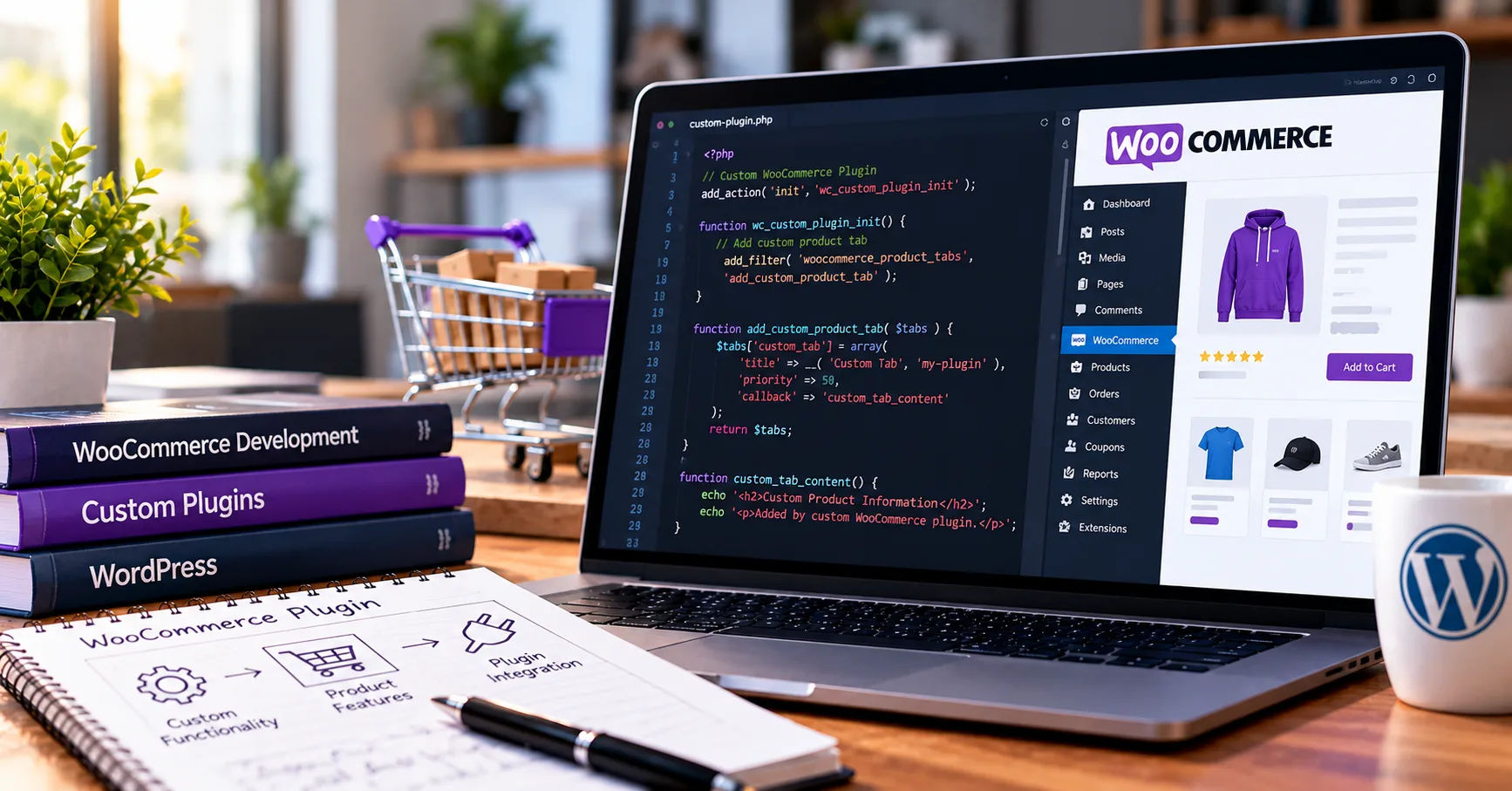
Running an online store requires more than adding products and accepting payments. Store owners often need special features to improve shopping experiences, manage orders, automate daily tasks, and increase sales. WooCommerce offers many built-in tools, but some businesses require additional functions that are not available in the standard setup. This is where woocommerce plugin development becomes valuable. WooCommerce is a popular e-commerce platform that works with WordPress. It allows businesses to create online stores and sell physical products, digital downloads, subscriptions, and services. Although WooCommerce provides many useful features, every business has different needs. A custom plugin can help fill those gaps without changing the platform's core files.

Understanding the development process helps business owners, developers, and website managers make better decisions. From identifying a problem to testing and maintaining the finished plugin, each stage plays an important role in building reliable software.

This comprehensive guide explains how the process works, which tools developers use, what challenges they may face, and how a well-designed plugin can support long-term business growth.

What Is WooCommerce Plugin Development?

WooCommerce plugin development is the process of creating software extensions that add new features or improve existing functions in a WooCommerce-powered online store. These extensions can automate tasks, connect external services, change checkout behavior, or provide additional options for customers and administrators.

A plugin works alongside WordPress and WooCommerce. Instead of modifying the platform's original files, developers use approved extension points, such as hooks, filters, and APIs, to introduce new functionality.

This approach makes a website easier to maintain. When WordPress or WooCommerce receives an update, a properly developed plugin is less likely to cause problems than a solution that directly changes core files.

Why Do Businesses Need Custom Plugins?

Ready-made plugins are useful, but they may not provide every feature a business requires. A custom solution can address specific operational needs and provide greater control over how a store works.

Common reasons for creating a custom plugin include:

  • Adding special product pricing rules.

  • Connecting an online store to inventory management software.

  • Creating custom shipping methods.

  • Integrating payment providers.

  • Automating order notifications.

  • Managing memberships or customer rewards.

  • Generating detailed sales reports.

  • Customizing checkout fields and validation.

  • Synchronizing customer information with a customer relationship management system.

For example, a business selling personalized products might need customers to upload designs and select customization options before purchasing. A custom plugin can provide these features while keeping the shopping process organized.

Step 1: Identify the Business Requirements

The first stage is understanding the problem the plugin must solve. Development should begin with a clear purpose rather than immediately writing code.

Developers communicate with store owners, managers, and other stakeholders to understand their expectations. They examine existing workflows and identify areas where the current website falls short.

Define the Main Objectives

The objectives should explain what the plugin needs to accomplish. These goals should be specific enough to guide development and testing.

For example, a store might want to calculate delivery charges according to product weight, destination, and order value. The requirements should explain which conditions affect the price and what happens when certain information is missing.

Developers should also determine who will use the plugin. Customers may interact with its features on product or checkout pages, while administrators may need settings and reporting tools in the WordPress dashboard.

Prepare a Feature List

A written feature list prevents misunderstandings during development. It should separate essential functions from optional improvements.

Essential features are necessary for the plugin to work correctly. Optional features may be introduced later if time and budget permit.

The planning stage should also identify performance requirements, security expectations, accessibility needs, and compatibility with the store's existing theme and extensions.

Step 2: Research Existing Solutions and Plan the Design

Before building a new extension, developers should investigate whether an existing plugin already solves the problem.

The WordPress plugin directory and the official WooCommerce marketplace are useful places to research available options. Comparing existing solutions can save money and development time.

However, a ready-made plugin may not be suitable if it lacks essential features, creates compatibility problems, or introduces unnecessary complexity.

Create a Technical Plan

Once the requirements are clear, developers decide how the plugin will work internally.

They identify the WordPress hooks, WooCommerce APIs, database requirements, and external services needed for the project. They also determine how information will move between the customer-facing website, administrative dashboard, and any connected systems.

A technical plan should cover error handling, permissions, data storage, and expected behavior when an external service becomes unavailable.

Design the User Experience

A plugin should be easy to use for both customers and administrators. Developers may prepare wireframes or simple interface designs to demonstrate how the features will appear.

Customer-facing controls should be clear, responsive, and accessible. Administrative settings should use understandable labels and explain important options.

Good design reduces confusion and makes the plugin easier to maintain as new features are introduced.

Step 3: Set Up the Development Environment

After planning, developers prepare a safe environment for writing and testing the plugin.

Working directly on a live store is risky because unfinished code can interrupt purchases, expose errors, or damage important data. A local WordPress installation or a staging website provides a safer place to work.

Install the Required Tools

A typical development environment includes:

  • WordPress and WooCommerce.

  • PHP, which powers WordPress server-side functionality.

  • MySQL or MariaDB for database storage.

  • A code editor, such as Visual Studio Code.

  • Git for version control.

  • A local development environment or staging server.

  • Browser developer tools for inspecting page behavior.

Depending on the project, developers may also use Composer, Node.js, automated testing tools, or command-line utilities.

The exact setup depends on the plugin's complexity and the hosting environment.

Create the Plugin Structure

A basic WordPress plugin needs a main PHP file containing a valid plugin header. Developers can organize additional files into folders for administrative pages, public-facing functionality, assets, templates, and tests.

A simple structure might look like this:

my-store-plugin/
├── my-store-plugin.php
├── includes/
│   ├── class-plugin-core.php
│   └── class-order-handler.php
├── admin/
│   └── admin-settings.php
├── public/
│   └── public-functions.php
├── assets/
│   ├── css/
│   └── js/
└── tests/

This is an illustrative structure, not a mandatory format. Small plugins may need fewer files, while larger projects benefit from clearer separation between components.

Organized code makes troubleshooting easier and helps multiple developers collaborate.

Step 4: Write the Plugin Code

Coding is the stage where the planned features become working software. Developers use WordPress and WooCommerce functions to connect the new functionality with the existing store.

PHP is commonly used for server-side logic, while JavaScript and CSS may support interactive features and presentation.

Use WordPress Hooks and Filters

Hooks and filters are important parts of WordPress development.

Actions allow developers to run functions at particular points in the platform's execution. Filters allow them to modify values before those values are used or displayed.

WooCommerce provides many extension points for product pages, cart operations, checkout, order processing, and administrative tasks.

Using these mechanisms helps developers extend existing behavior without unnecessarily replacing core functionality.

Follow WooCommerce Coding Practices

A reliable plugin should follow established WordPress and WooCommerce development conventions.

Developers should use appropriate APIs rather than accessing internal implementation details unnecessarily. They should also check compatibility with the WooCommerce version and features used by the store.

Modern WooCommerce installations may use the Checkout Block and other block-based interfaces. Therefore, developers must determine whether their intended checkout integration needs support for both traditional checkout templates and newer block-based experiences.

Compatibility should be planned early rather than treated as an afterthought.

Build Administrative Settings

Many plugins need a settings page where store owners can configure features without editing code.

For example, a shipping plugin might allow administrators to enter delivery rates, define supported regions, and enable or disable specific shipping methods.

Settings should be validated before they are saved. Sensitive actions must also check user capabilities to ensure that only authorized administrators can make changes.

Clear error messages and sensible default settings make the plugin easier to manage.

Step 5: Integrate WooCommerce Features and External Services

Some plugins operate entirely within WordPress, while others communicate with payment providers, shipping companies, accounting systems, or marketing platforms.

Integration requires careful planning because different services may use different data formats, authentication methods, and operating rules.

Work With Products, Carts, and Orders

WooCommerce provides APIs and data structures for handling products, cart contents, checkout details, and orders.

Developers should use the appropriate interfaces for the task instead of assuming that every product or order can be accessed in the same way.

For example, a plugin that applies a discount may need to evaluate cart contents, check eligibility rules, and recalculate totals when customers change quantities.

A plugin that processes orders must account for payment status, order status, refunds, and other relevant events.

Connect External APIs

An external API allows the plugin to exchange information with another service.

A shipping integration, for instance, might send package dimensions and destination details to a carrier, then receive delivery options and prices.

Developers should handle authentication securely, validate incoming responses, and set reasonable timeouts. They should also account for failed requests, rate limits, and temporary service interruptions.

Caching may improve performance when data does not need to be refreshed for every request. However, sensitive or rapidly changing information should not be cached carelessly.

Step 6: Protect the Plugin From Security Risks

Security is essential because e-commerce websites process customer information, orders, and sometimes payment-related data.

A poorly protected plugin can create risks for the entire store. Security measures should therefore be included throughout development.

Validate and Sanitize Input

Validation checks whether submitted information meets the expected rules. Sanitization helps clean input before it is stored or used.

Developers should validate form submissions, product options, configuration values, and external responses according to their purpose.

When displaying information, they should escape output using the appropriate WordPress functions. This helps prevent malicious content from being interpreted as executable code.

Use Nonces and Permission Checks

WordPress nonces help protect against certain forged requests, but they do not replace authorization checks.

Sensitive operations should verify that the current user has the required capabilities. Developers must also protect database queries, handle file uploads safely, and avoid exposing secret API credentials.

Database operations should use appropriate WordPress APIs and prepared queries where necessary.

For payment integrations, sensitive card information should generally be handled through a suitable payment provider rather than stored directly by a custom plugin.

Step 7: Test the Plugin Thoroughly

Testing confirms whether the plugin works as intended and helps identify problems before release.

A feature that works on one test page may still fail during checkout, conflict with another extension, or behave incorrectly under unusual conditions.

Perform Functional Testing

Developers test every major feature against the original requirements.

For example, a discount plugin should be tested with eligible and ineligible products, different cart values, expired offers, and multiple discount conditions.

Order-related features should be checked across relevant payment and order statuses.

Testing should include normal usage, invalid input, empty values, unexpected responses, and failure scenarios.

Check Compatibility and Performance

The plugin should be tested with supported versions of WordPress, WooCommerce, PHP, and relevant third-party extensions.

If it changes checkout behavior, developers should test the actual checkout flow and verify that customers can complete purchases successfully.

Performance testing helps identify slow database queries, excessive API calls, and unnecessary loading of scripts or styles.

Automated tests can help detect regressions when developers make future changes. Depending on the project, useful methods include unit tests, integration tests, and end-to-end tests.

Step 8: Review, Package, and Deploy the Plugin

After testing, developers prepare the plugin for installation on the intended website.

They review the code, remove temporary debugging statements, verify file organization, and ensure that documentation and configuration instructions are included.

Version control helps track changes and makes it easier to identify when a problem was introduced.

Prepare the Release

The release package should contain the files required for the plugin to operate, without unnecessary development materials or confidential information.

Developers should confirm that the plugin activates correctly and that any required setup steps are documented.

If the plugin introduces database changes, those changes should be handled carefully. Deactivation should not automatically delete valuable customer or store data unless that behavior is explicitly intended and clearly explained.

Deploy to the Live Store

Before deployment, the store owner should create a verified backup of the website and database.

The plugin can then be installed on the live website using the appropriate WordPress administration tools or deployment workflow.

After installation, developers should repeat critical checks, including product browsing, cart updates, checkout, order creation, and any connected integrations.

Monitoring logs and site behavior after release helps identify issues that did not appear in staging.

Step 9: Document and Maintain the Plugin

Development does not end when the plugin is installed. WordPress, WooCommerce, PHP, and external services continue to evolve.

Ongoing maintenance keeps the plugin secure, compatible, and useful.

Write Clear Documentation

Documentation should explain installation, configuration, feature usage, supported software versions, known limitations, and troubleshooting steps.

For a commercial plugin, developers may also provide frequently asked questions and support instructions.

Good documentation reduces support requests and helps future developers understand how the software works.

Provide Updates and Fixes

Maintenance may include security patches, bug fixes, performance improvements, and compatibility updates.

Developers should review relevant platform changes and test updates before deploying them. They should also maintain a clear version history so users understand what each release changes.

When a problem occurs, a structured support process can help developers reproduce the issue, identify its cause, and release an appropriate fix.

Regular maintenance is especially important for plugins involved in checkout, payment processing, order management, or customer data.

Common Challenges in WooCommerce Plugin Development

Although the development process follows a clear structure, several challenges can affect the final result.

Compatibility Problems

Themes and other plugins may change the same parts of a website. These overlapping behaviors can cause unexpected results.

Developers can reduce this risk through isolated testing, proper use of extension points, and clear documentation of supported environments.

Changing Platform Requirements

WooCommerce introduces new features and may change older interfaces over time. A plugin that works with one version may require adjustments to remain compatible with another.

Following official documentation and testing against supported versions helps prevent avoidable failures.

Performance Issues

Complex calculations, repeated external requests, and inefficient database operations can slow down a store.

Developers should measure performance rather than relying on assumptions. Efficient queries, suitable caching, and loading assets only when needed can improve responsiveness.

Security and Data Protection

Plugins that handle personal information or business records must protect that data throughout its lifecycle.

Access controls, secure authentication, careful logging, and appropriate data-retention practices help reduce risk. Developers should also consider applicable privacy and consumer-protection requirements.

Budget and Time Constraints

The cost and duration of development depend on feature complexity, integrations, testing requirements, and ongoing support expectations.

A small settings extension may require much less work than a plugin involving subscriptions, external inventory systems, or complicated checkout rules.

Defining a minimum viable feature set helps businesses control costs while leaving room for future improvements.

Best Practices for a Successful Plugin

Following proven development practices can improve quality and reduce future maintenance costs.

  1. Start with clear requirements. Define the problem, expected behavior, and success criteria before coding.

  2. Use official APIs. Prefer documented WordPress and WooCommerce extension points.

  3. Keep the code organized. Separate unrelated responsibilities into manageable components.

  4. Prioritize security. Validate inputs, escape outputs, and check user permissions.

  5. Test realistic scenarios. Include checkout, order processing, errors, and compatibility checks.

  6. Use version control. Track changes and maintain a reliable development history.

  7. Document important decisions. Explain setup steps, limitations, and maintenance requirements.

  8. Plan for future updates. Avoid unnecessary dependencies and test platform changes before deployment.

  9. Monitor the live store. Review errors and investigate problems quickly.

  10. Collect user feedback. Improve the plugin based on actual business needs and customer experiences.

These practices make a plugin easier to operate and help businesses avoid costly disruptions.

Conclusion

The WooCommerce plugin development process involves several connected stages, beginning with business research and requirements gathering and continuing through planning, coding, integration, security, testing, deployment, and maintenance. Every stage contributes to the reliability and usefulness of the finished product.

A successful plugin does more than add a new button or function to an online store. It solves a genuine problem, fits naturally into existing workflows, protects important information, and performs consistently under real shopping conditions.

Businesses should begin by identifying their most important needs and deciding whether an existing extension can meet them. If a custom solution is necessary, a clear feature list and technical plan can prevent misunderstandings and unnecessary expenses.

Choosing experienced developers, following established WordPress practices, and testing the plugin thoroughly can improve the chances of a successful launch. Store owners should also budget for future updates because software compatibility, security requirements, and business needs change over time.

Ultimately, woocommerce plugin development provides a flexible way to adapt an online store to specific business goals. When the process is managed carefully, a custom plugin can improve customer experiences, reduce repetitive work, strengthen integrations, and support long-term growth. The best results come from combining thoughtful planning, clean code, strong security, realistic testing, and ongoing maintenance.

Continue Reading

WAK89 Hadir dengan Beragam Pilihan Permainan Casino Favorit yang Menghibur dan Menguntungkan

Di era digital yang terus berkembang, dunia hiburan online semakin diminati oleh berbagai kalangan. Salah satu bentuk hiburan yang paling populer saat ini adalah permainan casino online yang menawarkan sensasi seru, tantangan menarik, serta peluang meraih kemenangan besar. Di tengah banyaknya platform yang tersedia, wak89 hadir sebagai salah satu pilihan terbaik bagi para penggemar casino online yang menginginkan pengalaman bermain yang lengkap, aman, dan menyenangkan.

Dengan menghadirkan beragam pilihan permainan casino favorit, WAK89 berhasil menarik perhatian banyak pemain yang mencari hiburan berkualitas sekaligus kesempatan mendapatkan keuntungan menarik. Tidak hanya menawarkan variasi permainan yang lengkap, platform ini juga memberikan pengalaman bermain yang nyaman melalui teknologi modern dan layanan profesional.

Mengapa WAK89 Menjadi Pilihan Banyak Pecinta Casino Online?

WAK89 dikenal sebagai platform yang memahami kebutuhan para pemain modern. Setiap permainan yang tersedia dirancang untuk memberikan sensasi bermain yang realistis dan menghibur. Mulai dari pemain pemula hingga profesional, semua dapat menemukan permainan yang sesuai dengan preferensi masing-masing.

Keunggulan utama WAK89 terletak pada koleksi permainan casino yang beragam. Dengan banyaknya pilihan yang tersedia, pemain tidak akan merasa bosan karena selalu ada tantangan baru yang bisa dicoba setiap hari.

Selain itu, tampilan platform yang user-friendly membuat proses navigasi menjadi lebih mudah. Pemain dapat mengakses permainan favorit mereka hanya dalam beberapa klik tanpa mengalami kesulitan.

Ragam Permainan Casino Favorit di WAK89

Salah satu alasan mengapa WAK89 semakin populer adalah karena variasi permainannya yang sangat lengkap. Berikut beberapa kategori permainan yang paling diminati oleh para pemain.

Roulette yang Penuh Ketegangan

Roulette merupakan salah satu permainan casino klasik yang selalu memiliki tempat istimewa di hati para pemain. Permainan ini menawarkan kombinasi antara keberuntungan dan strategi yang membuat setiap putaran terasa menegangkan.

Di WAK89, pemain dapat menikmati pengalaman bermain roulette dengan tampilan visual yang menarik dan sistem permainan yang responsif. Setiap putaran roda memberikan sensasi yang membuat adrenalin meningkat.

Blackjack dengan Peluang Menang yang Menarik

Blackjack dikenal sebagai permainan kartu yang membutuhkan keterampilan dan strategi. Pemain harus berusaha mendapatkan nilai kartu mendekati angka 21 tanpa melewati batas tersebut.

WAK89 menghadirkan berbagai variasi blackjack yang memungkinkan pemain memilih gaya permainan sesuai kemampuan mereka. Dengan memahami strategi dasar, peluang meraih kemenangan menjadi semakin besar.

Baccarat Favorit Para High Roller

Baccarat merupakan salah satu permainan yang paling populer di kalangan pemain casino. Aturan yang sederhana membuat permainan ini mudah dipahami bahkan oleh pemula.

Di WAK89, baccarat hadir dengan berbagai pilihan meja dan batas taruhan yang fleksibel. Hal ini memungkinkan setiap pemain menikmati permainan sesuai modal dan gaya bermain masing-masing.

Slot Online dengan Bonus Melimpah

Selain permainan meja, WAK89 juga menyediakan berbagai jenis slot online yang menawarkan tema menarik dan fitur bonus menguntungkan. Slot menjadi pilihan favorit karena mudah dimainkan dan memiliki potensi hadiah yang besar.

Dengan desain grafis berkualitas tinggi dan efek suara yang memukau, pengalaman bermain slot di WAK89 menjadi lebih seru dan menghibur.

Pengalaman Bermain yang Aman dan Nyaman

Keamanan menjadi salah satu faktor penting dalam memilih platform casino online. WAK89 memberikan perhatian khusus terhadap perlindungan data dan transaksi para pemain.

Sistem keamanan modern diterapkan untuk menjaga kerahasiaan informasi pengguna. Dengan demikian, pemain dapat fokus menikmati permainan tanpa perlu khawatir mengenai keamanan akun maupun transaksi mereka.

Selain itu, proses transaksi yang cepat dan praktis membuat aktivitas bermain menjadi lebih nyaman. Baik saat melakukan deposit maupun penarikan dana, semuanya dapat dilakukan dengan mudah dan efisien.

Bonus dan Promosi yang Menambah Keseruan

Tidak lengkap rasanya bermain casino online tanpa adanya bonus dan promosi menarik. WAK89 menghadirkan berbagai program bonus yang dirancang untuk memberikan nilai lebih kepada para pemain.

Mulai dari bonus selamat datang, bonus deposit harian, hingga berbagai promo spesial lainnya, semuanya dapat dimanfaatkan untuk meningkatkan peluang bermain. Program loyalitas yang tersedia juga menjadi bentuk apresiasi bagi pemain aktif yang terus mendukung platform ini.

Keberadaan bonus tersebut tidak hanya menambah keseruan, tetapi juga memberikan kesempatan lebih besar bagi pemain untuk menikmati berbagai permainan favorit mereka.

Dukungan Layanan Profesional 24 Jam

Pelayanan pelanggan yang responsif menjadi salah satu indikator kualitas sebuah platform online. WAK89 menyediakan tim customer service profesional yang siap membantu pemain kapan saja.

Baik untuk pertanyaan seputar akun, transaksi, maupun informasi permainan, tim layanan pelanggan selalu siap memberikan solusi dengan cepat dan ramah. Dukungan selama 24 jam membuat pemain merasa lebih nyaman dan percaya saat menggunakan platform ini.

Kesimpulan

WAK89 hadir sebagai destinasi hiburan online yang menawarkan beragam pilihan permainan casino favorit dengan kualitas terbaik. Mulai dari roulette, blackjack, baccarat, hingga slot online modern, semuanya tersedia dalam satu platform yang mudah diakses dan aman digunakan.

Dengan dukungan teknologi terkini, sistem keamanan yang terpercaya, bonus menarik, serta layanan pelanggan profesional, WAK89 mampu memberikan pengalaman bermain yang memuaskan bagi setiap pemain. Bagi para pecinta casino online yang mencari kombinasi antara hiburan, tantangan, dan peluang keuntungan, WAK89 menjadi pilihan yang layak untuk dipertimbangkan.

Continue Reading